Serialized vs quantity tracking: which does your inventory need?
Every item in your catalog comes with a quiet decision baked into it: do you track a number, or do you track each physical thing? Most owners never make that decision on purpose. They pick whatever the spreadsheet defaulted to, and then live with the consequences for years. The good news is that the choice is simple once you know the two questions behind it, and you can make a different call for every item if you want to.
The two ways to track anything
Quantity tracking treats an item as a count. You have 240 zip ties, 18 bags of coffee, or 12 laptops, and the system stores that single number. When you use some, the number goes down. When you receive more, it goes up. It is fast, it is cheap, and for most consumable stock it is exactly right. The only question it can answer is “how many do I have?”
Serialized tracking (also called unit-level tracking) treats each physical item as its own record. Instead of “12 laptops,” you have laptop #A4417, #A4418, and so on, each with its own serial number, location, condition, and history. The count is still there, but now it is derived from the units rather than typed in. This is the foundation of unit-level tracking, and it answers a much bigger set of questions: where is this exact one, who has it, what condition is it in, and what has happened to it.
The cost of over-tracking
Serializing everything sounds rigorous, but it quietly taxes your team. Imagine giving every screw, cable tie, and coffee filter its own serial number and check-in workflow. Nobody will do it. They will scan in bulk, fudge the counts, or abandon the system entirely, and you will end up with worse data than a simple number would have given you. Do not serialize screws. For low-value, interchangeable, consumable items, a plain count is not a compromise. It is the correct answer, and it keeps the system light enough that people actually use it.
The cost of under-tracking
The opposite mistake is more expensive. Lumping twelve $2,000 laptops into a count of “12” feels tidy, right up until one goes missing. A count cannot tell you which laptop walked off, who had it last, whether it was the one still under warranty, or whether it was the broken one you meant to retire. When something is valuable, distinguishable, or accountable to a specific person, a bare number throws away exactly the information you will wish you had. This is the same line that separates asset tracking vs inventory tracking: durable, valuable gear wants to be tracked as individual units.
A decision checklist
Run each item through these questions. If you find yourself nodding at even one or two of them, that item probably wants to be serialized. Track each unit individually when the item is:
- High value. If losing one unit would actually hurt, you want to know which one and where it is.
- Identified by a serial or asset tag. If it already carries a unique number, lean into it rather than averaging it away into a count.
- Loaned or rented. If units leave your hands and come back, you need to know who has which one and when it is due.
- Condition-dependent. If “working,” “needs repair,” and “retired” matter, a single count cannot hold three different states at once.
- Under warranty or maintenance. If each unit has its own purchase date, warranty window, or service schedule, those dates belong on the unit, not on the group.
- Regulated. If a rule, a recall, or an auditor can ask “show me the history of this specific item,” you need per-unit records to answer. See lot, expiry and serial numbers for the compliance angle.
If none of those apply, keep it as a quantity and move on. Most catalogs end up mostly quantity-tracked with a smaller set of serialized items, and that is a healthy balance.
The hidden benefits of per-unit data
The checklist tells you when serializing pays off, but it undersells the upside. Once each unit is its own record, you get things a count can never give you:
- Accountability. “Who has unit #A4417?” has a real answer, so gear stops quietly disappearing.
- An audit trail. Every check-out, repair, and location change is attached to the exact item, so you can reconstruct what happened without guessing.
- Utilization. You can see which units are always out and which never move, which tells you what to buy more of and what to stop buying.
Most of this leans on per-unit attributes, which is where custom fields come in: serial number, assigned owner, condition, warranty date, last service. Add the fields that matter to your business and skip the rest.
It is a per-item choice, not a system-wide one
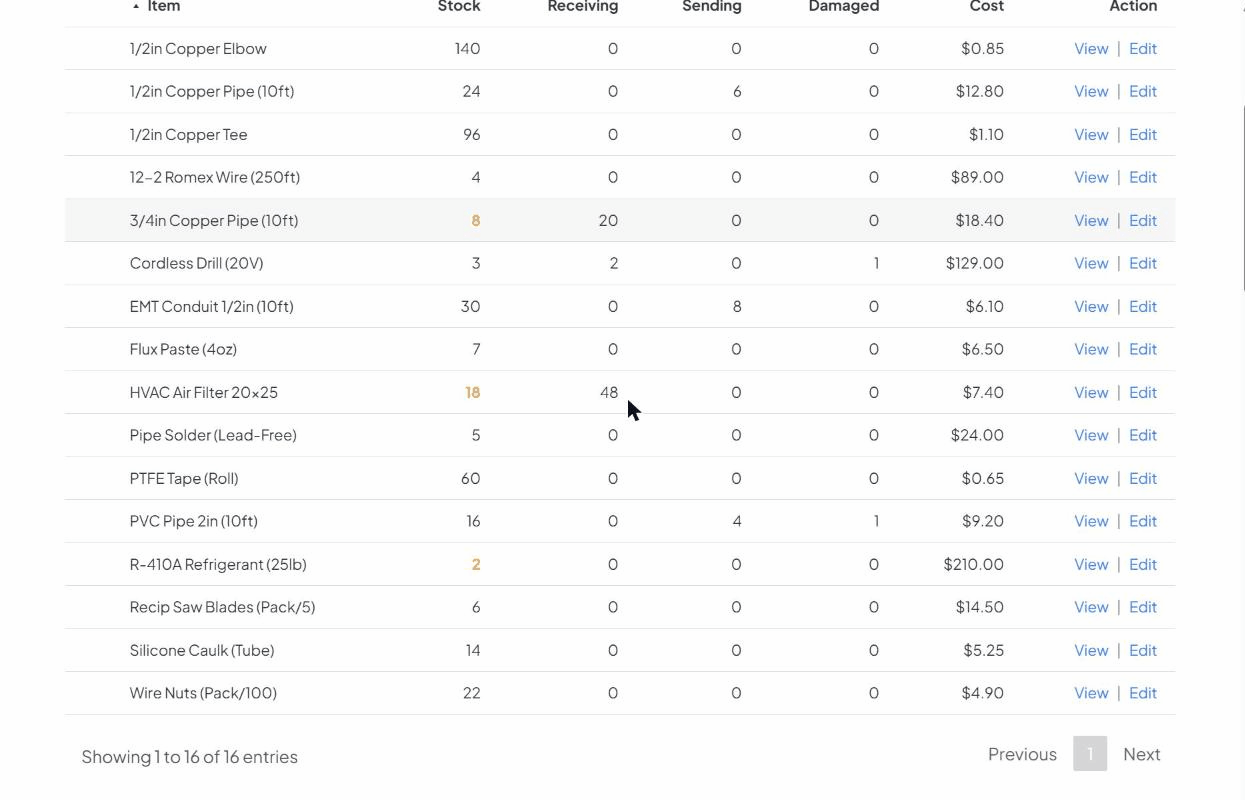
Here is the part that frees you up: this is not a setting you flip once for your whole company. It is a decision you make item by item, and you can mix both methods in a single catalog. The coffee beans stay a count. The espresso machines become serialized units. The cleaning supplies stay a count. The cordless drills become serialized units. You are not choosing a philosophy. You are matching the method to the item, one row at a time, and changing your mind later if an item grows in value or importance. For a deeper look at the serialized side, see our guide on when to track each item individually.