How to run a stock reconciliation (without the headache)
A stock reconciliation is simply comparing what your records say you have against what’s actually on the shelf, then fixing the gaps. Done well, it catches shrinkage, data-entry mistakes and process problems before they cost you. Done badly, it eats a weekend. Here’s how to keep it in the first camp.

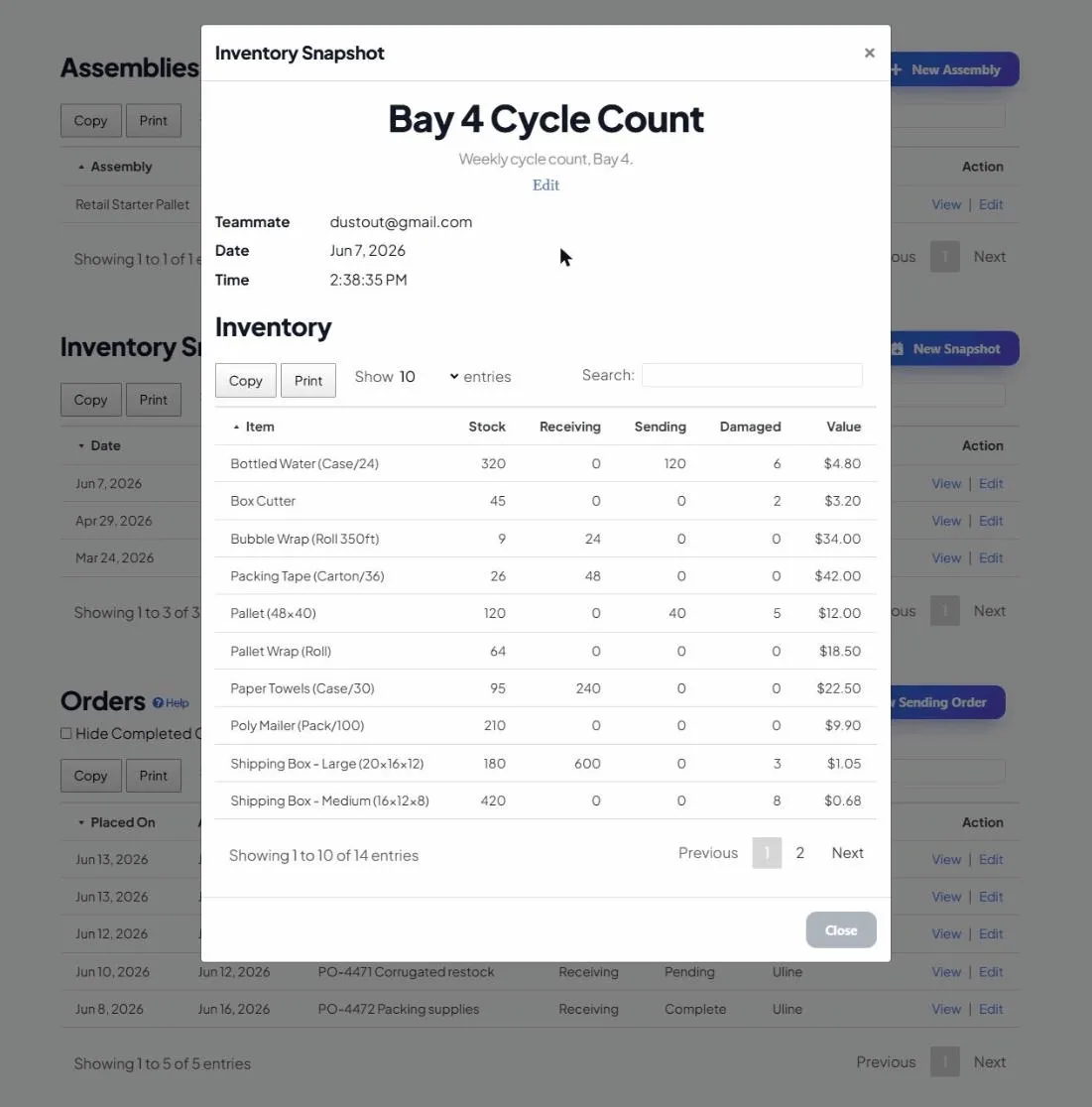
Step 1: Pick your scope and timing
Reconcile a whole location at once, or rotate through sections (“cycle counting”) so you’re always checking something without ever shutting down. Choose a quiet window when stock isn’t moving much.
Step 2: Freeze a reference point
Before counting, capture what your system believes you have right now. That frozen reference is what you’ll compare against, otherwise ongoing activity muddies the numbers.
Step 3: Count what’s really there
- Scan each item’s QR code and enter the physical count.
- Count in a consistent path through the space so nothing gets missed or double-counted.
- Have a second person spot-check high-value items.
Step 4: Compare and investigate
Line up physical counts against your reference. For every discrepancy, ask why: miscount, unrecorded usage, damage, theft, or a receiving error? The pattern usually points at a process to fix, not just a number.

Step 5: Adjust and document
Correct the records so the system matches reality, and note the reason. That history is gold next quarter when you’re trying to spot trends.
Make it a habit, not an event
Small, frequent cycle counts beat one giant annual scramble. With QR scanning and snapshots, a section takes minutes, and you can even ask an AI assistant to summarize the discrepancies for you.