Barcode scanning
Real barcodes, not just QR. Store the UPC or EAN already on a product, or your own Code 128 SKU, then scan to pull up an item in an instant with a plug-in scanner or your phone. Print your own labels for anything that doesn’t have one.
Start free for a limited time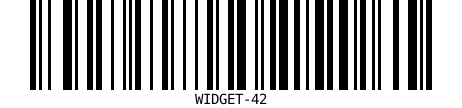
UPC, EAN & Code 128
Store the manufacturer barcode that’s already on a product, or your own internal SKU. Check digits on UPC and EAN are validated for you.
Scan to find
Scan a barcode with a USB or Bluetooth scanner, or type it, and the matching item opens straight away. No hunting through a list.
Print your own labels
Generate a clean, scannable Code 128 label for any item, for the things that came without a barcode.
Find it with AI
Ask Claude to look up an item by its barcode over the built-in MCP server and act on it in plain language.
Standard barcodes, built in
Most stock already carries a barcode. The retail products you buy have a UPC or EAN printed on them, and a quick scan is the fastest, most accurate way to pull up the right item, far quicker than scrolling a list and far less error-prone than typing. Simple Inventory stores that barcode on the item and looks it up the instant you scan.
Add a barcode by scanning it straight into the item’s editor or typing it in. UPC-A and EAN-13 values are check-digit validated so a misread is caught early. For items that never had a barcode, generate your own Code 128 label and print it; the same value then scans back to the item.
On the floor, the scan-to-find box works with any keyboard-wedge scanner, the common USB and Bluetooth kind that “types” the code, so there’s no hardware to configure and no app to install. On a phone, the same box accepts a typed or pasted code.