Introducing Simple Inventory 2.0: a workspace built around your day
Simple Inventory has been helping teams keep track of stock since 2019. Over those years the app grew one feature at a time: orders, assemblies, snapshots, single sign-on, AI access, units of measure. Each one was useful on its own, but together they had outgrown the page they lived on. Too many things were a menu or two away, and on a phone some of them were hard to reach at all.
Simple Inventory 2.0 is the fix. It is the largest update the app has had, and it is live for every account today. There is nothing to install, migrate or relearn from scratch: your items, history, QR labels and AI connections all carry straight over.
A workspace instead of a single long page
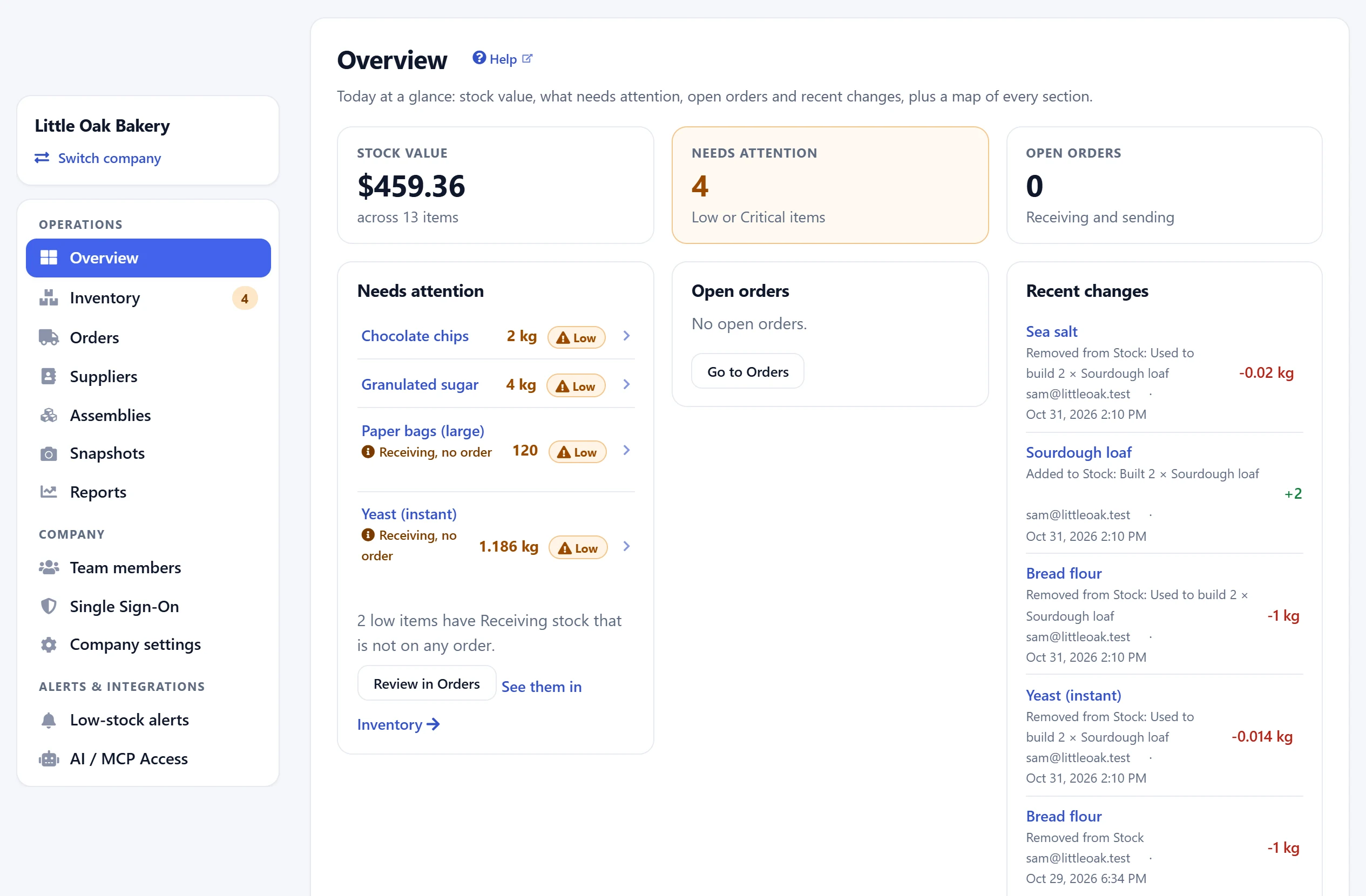
Every company now opens on an Overview. It answers the questions you open the app to ask: what your stock is worth, which items need attention, which orders are still open and what changed recently. Each line is a link, so “3 items need attention” takes you straight to those three items.
Everything else sits in one sidebar, grouped into Operations, Company and Alerts & integrations. Each section opens with a one-line explanation of what it is for and a Help link to its own article, so you never have to guess what “Snapshots” or “Assemblies” means before you try it. The workspace guide walks through all of it.
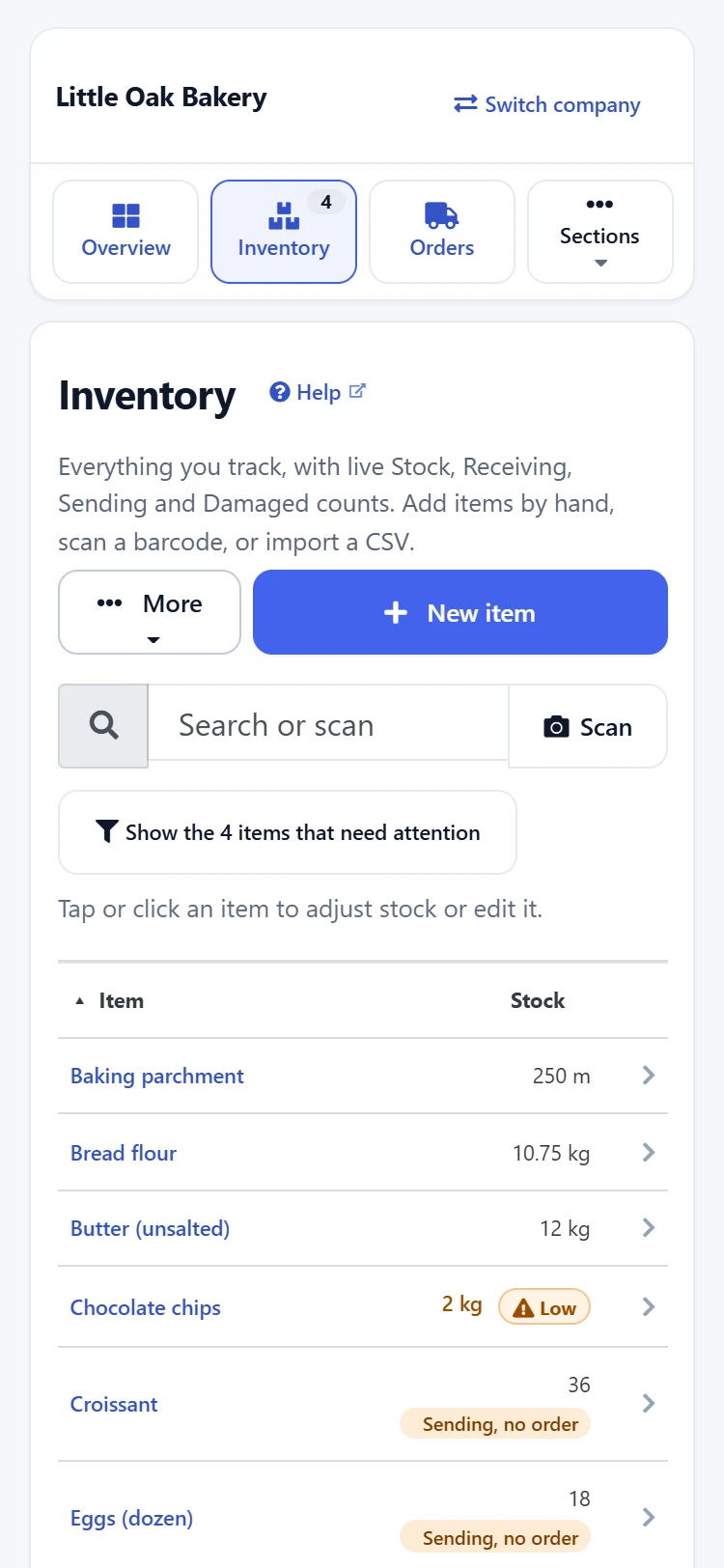
On phones and tablets, the sidebar becomes a row of quick tiles for Overview, Inventory and Orders, with counts on them, plus a picker for every other section. The things you do on the shop floor are one tap away.
Scan with the phone in your pocket
Tap Scan in Inventory and point your phone camera at a QR label or a barcode. If the item exists, it opens. If it does not, you can create it with that barcode already filled in, which makes setting up a new shelf a lot quicker. A USB or Bluetooth scanner works too: scan straight into the search box. There is a new optional Barcode / SKU column if you want to see codes in the table. Not sure which kind of code to print? See barcode vs QR code.
Stock changes you can trust later
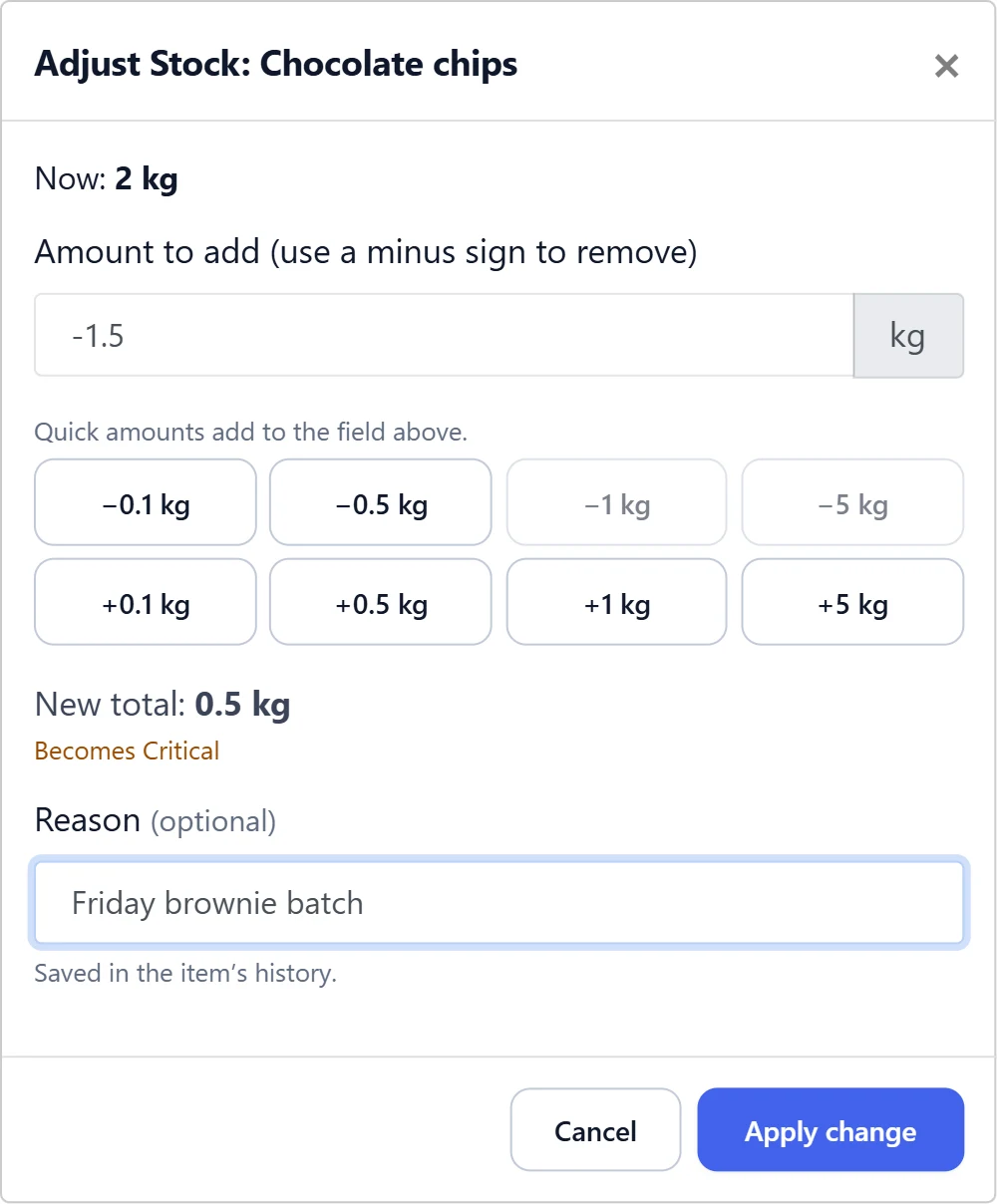
Adjusting stock is the thing you do most, so it got the most attention. The Adjust and Set exact dialog now shows the new total before you apply it, tells you when a change will push an item to Low or Critical, and refuses a change that would take stock below zero. You can add an optional reason (“damaged in delivery”, “used for the Smith job”), and it is saved in the item’s history next to the number. Six months from now, that line will explain itself.
If you close a half-filled form by accident, the app asks before throwing your changes away. And the browser Back button now closes an open dialog instead of leaving the page.
Low-stock alerts by email, as well as Teams
Low-stock alerts used to go to Microsoft Teams only. In 2.0 they can also go by email to any list of addresses, or to both. The same alert types apply to each channel. As before, alerts fire no matter how the change happened, whether in the app, through a CSV import or by an AI assistant. The low-stock alerts guide covers setup.
Record a build in one step
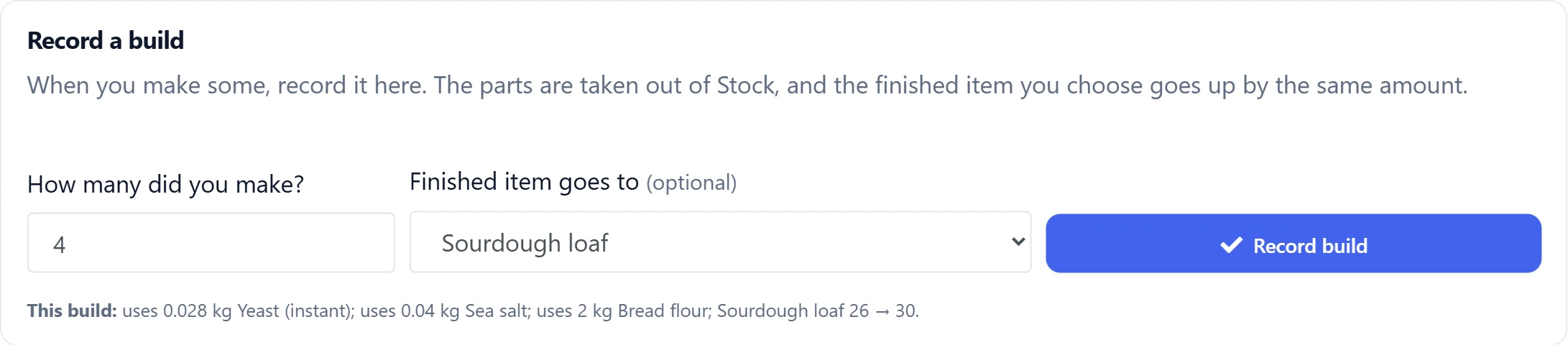
If you make things from parts, Record build on an assembly does the bookkeeping for you. Enter how many you built and it previews exactly what will come out of stock. It then takes the parts out and adds the finished product to its own item, all in one step, with a history line on every item it touched. If a part is short, it says so and changes nothing, so you never end up with half a build in your numbers. See the assemblies guide.
Reports, suppliers and your team get their own pages
- Reports is now a section of its own: stock valuation, low stock and transaction history, which can be limited to a date range. QuickBooks Online and Xero exports live there too (more in accounting export).
- Suppliers have a page where you can add, edit and review who you buy from, ready for purchase orders.
- Team members shows who has joined and whose invitation is still pending, with a button to resend it.
- Custom fields are managed in Company settings, in one place, instead of item by item.
Smaller things you will notice
- A needs attention filter in Inventory shows only the items at or below their warning level.
- Stock in Receiving or Sending that is not on any open order is flagged, so numbers that have drifted from your orders stand out.
- Reorder suggestions use an item’s warning level when it has no reorder point set, so more items get a suggestion without extra setup.
- CSV import now accepts barcodes, reorder settings and suppliers.
- Items, assemblies and snapshots have their own links, so you can send a teammate straight to the thing you are looking at.
What stays the same
Your data, your history and your settings are untouched. QR labels you have already printed still open the right item. The built-in MCP server works exactly as before, so Claude and other assistants keep their access. Units of measure, single sign-on, snapshots and orders all work the way you already know.